

.png)

Cart Upsell on Shopify: Boost AOV Before Checkout

TL;DR:
Pre-checkout upselling is one of the most effective ways to boost your AOV on Shopify. By strategically offering relevant products before customers reach checkout, you can significantly increase order values while enhancing the shopping experience. This guide covers the technical setup, best practices, and tools for implementing effective cart upsells on Shopify.
Why Pre-Checkout Upsells Help Increase AOV
Cart upselling is about presenting additional items or upgrades right before the customer proceeds to checkout. This is a crucial phase to increase your AOV because:
- Less friction: Customers are still in shopping mode, and adding one more product to their cart doesn’t feel like a major decision.
- Increased total value: By offering items that complement or enhance their original selection, you can increase their total order value without requiring them to go through a lengthy checkout process.
Enhanced customer experience: When done right, it feels like a helpful suggestion rather than a hard sell. It adds value to the customer’s purchase, making them feel like they are getting more for their money.
Pre-Checkout Upsell Techniques to Increase AOV
There are several proven methods for setting up effective pre-checkout upsells on Shopify:
1. Cart Page Upsells
On your cart page (or cart drawer), you can offer products that complement what they’ve already added. This can include:
- Accessories or add-ons that complement the product in the cart.
- Bundled products that offer savings when purchased together.
Example: A customer adds a skincare serum to their cart. You can suggest a complementary moisturizer with a message like, “Complete your skincare routine with this moisturizer at 15% off!”
2. Volume-Based Offers
Offer discounts or bonuses when the customer reaches a certain cart value, such as:
- “Add ₹X more to your cart and get free shipping.”
- “Upgrade to a bundle and save 20%.”
This type of offer encourages customers to add more items to their cart before checkout, increasing your AOV.
3. Time-Sensitive Offers
Introduce urgency by adding limited-time offers. For example:
- “Hurry! Get 10% off your cart if you add another item within the next 5 minutes.”
This creates a sense of urgency, motivating customers to act quickly and increase their order value.
How to Implement Pre-Checkout Upsells on Shopify
Implementing pre-checkout upsells is a straightforward process that can be done in several simple steps. Here's how you can do it effectively:
Step 1: Choose Your Upsell Placement
- Cart Page: The cart page (usually /cart) is where customers review their selections. Adding upsell offers here is effective because customers are already evaluating their purchases, making it a prime opportunity to suggest additional items that complement their cart.
- Cart Drawer: A slide-in cart drawer works well for mobile users, allowing upsell offers to appear without requiring customers to leave the page or navigate away from the cart. This keeps the shopping flow uninterrupted and can lead to higher conversion rates on mobile devices.
Step 2: Select an Upsell Tool or App
While Shopify offers the flexibility to customize your cart, many merchants opt for apps to streamline the pre-checkout upsell process. These apps are easy to implement and don’t require coding. Some popular tools include:
- Upsell.com ( Previously ReConvert): While primarily a post-purchase upsell tool, ReConvert also offers pre-checkout upsell options. It seamlessly integrates into the cart to present additional items or upgrades before checkout.
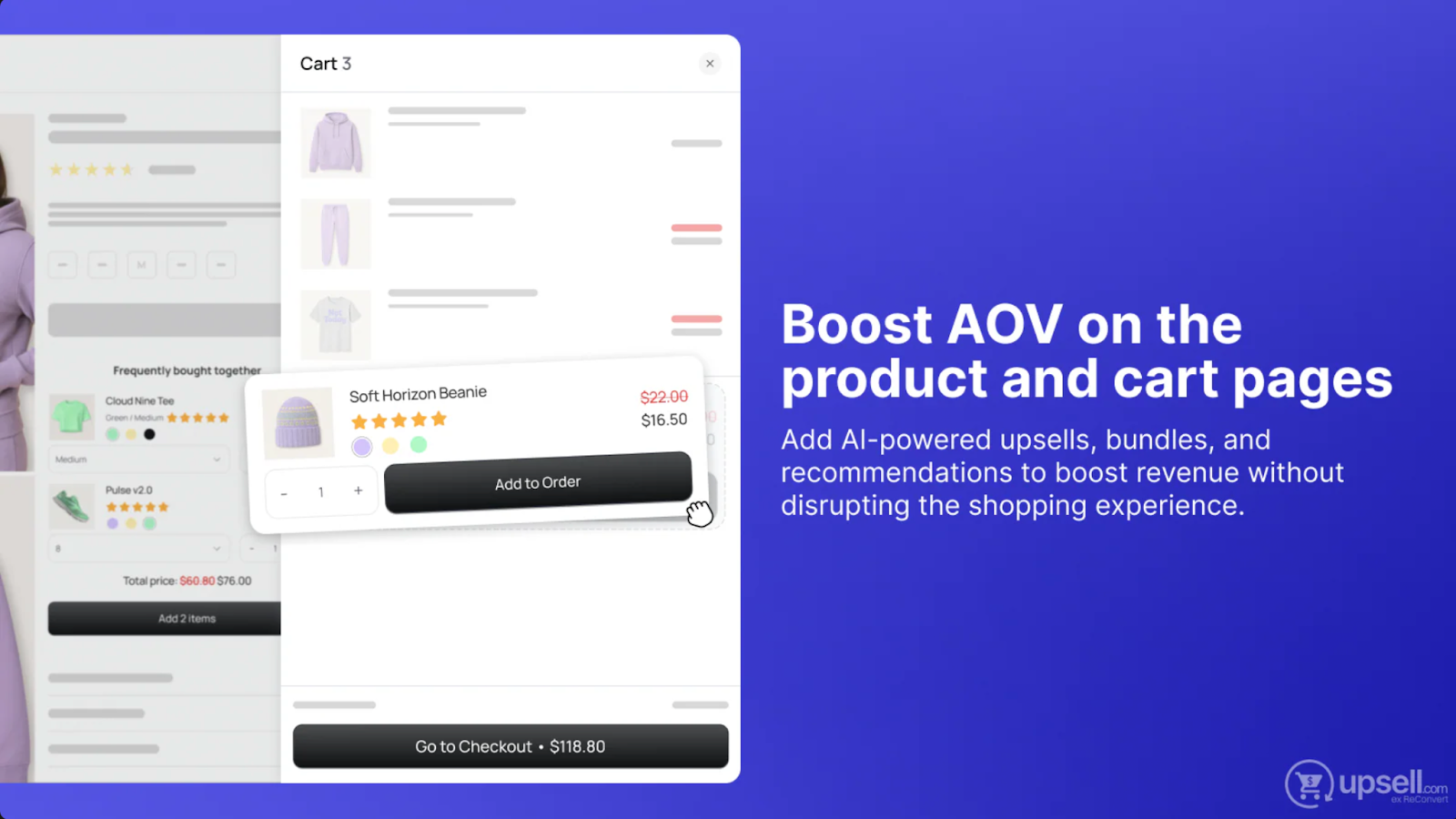
- UpCart: This app enhances cart functionality by offering personalized upsell suggestions within the cart drawer, making it ideal for merchants who want to boost AOV on mobile and desktop.
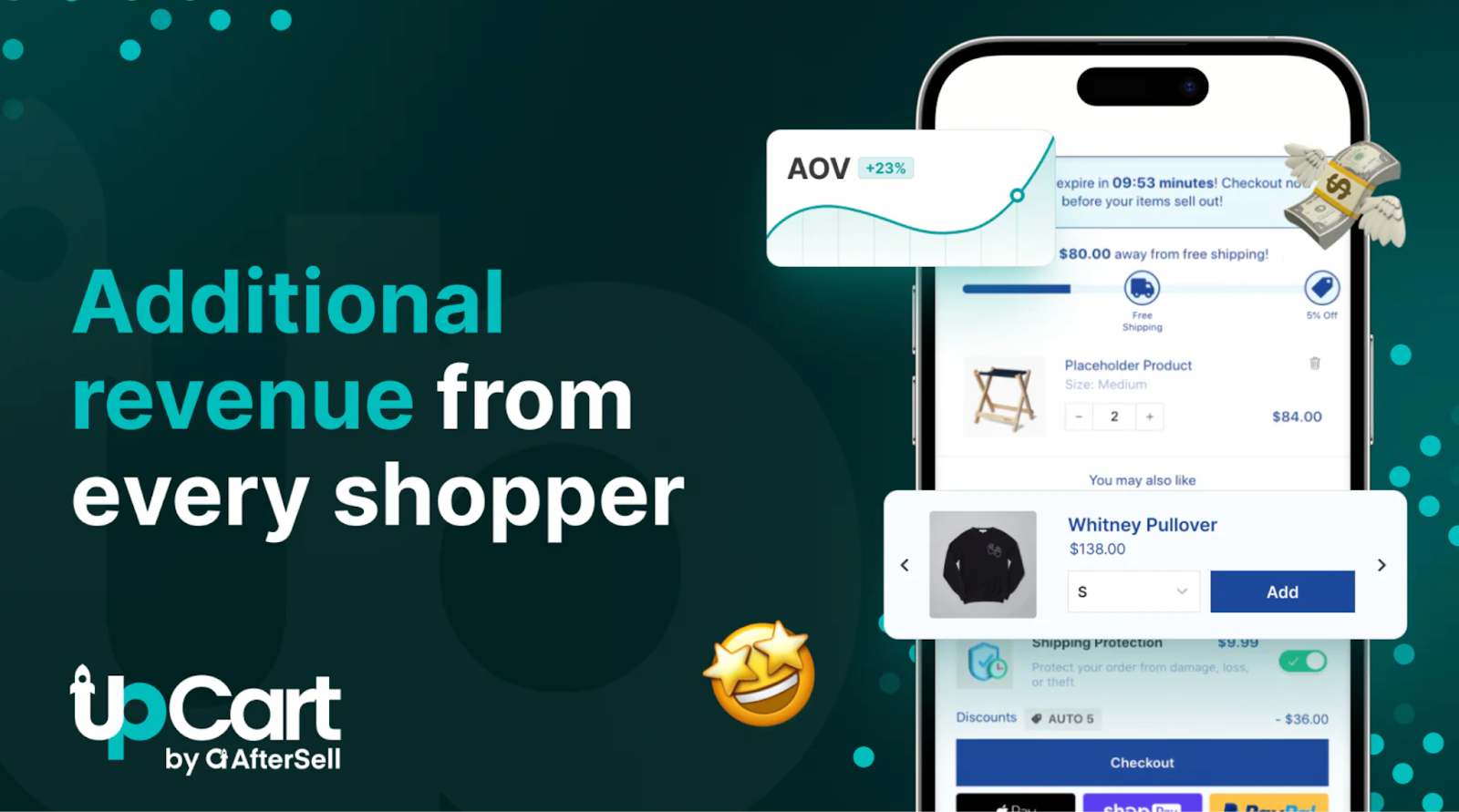
These apps integrate smoothly with Shopify and provide automatic product recommendations, discounts, and flexible upsell setups. Additionally, integrating tools like Loop Subscriptions can help elevate your upsell strategy by offering recurring purchase options and subscription-based incentives that tie into long-term customer retention. A well-executed upsell strategy combined with subscriptions can drive continuous revenue growth.
Step 3: Offer Relevant Upsells
Your upsell offers should be directly tied to the products already in the customer's cart. The more relevant the upsell, the more likely the customer will add it to their cart. Relevant upsells help increase AOV and customer satisfaction.
- Example: If a customer is buying a fitness tracker, recommend an accessory like a sports band or a subscription to a fitness plan.
- Example: If a customer has a skincare product in the cart, suggest complementary items like a serum, mask, or skincare tool.
Offering complementary items makes the upsell feel like a helpful suggestion, not a hard sell.
Step 4: Implement Upsell Logic (No Code Required)
You don’t need to write code to set up pre-checkout upsells on Shopify. Most apps like ReConvert and UpCart let you implement upsell logic through their user-friendly interfaces, so no coding is required. Here’s how it works:
- Detect Cart Contents: The apps automatically detect what’s in the customer’s cart and display relevant upsell offers based on cart data.
- Display Offers: The apps show upsell offers dynamically based on pre-set conditions (e.g., if a specific product is in the cart, or if the cart value exceeds a certain amount).
- Smooth User Experience: Most apps use AJAX to update the cart dynamically, ensuring that customers don’t have to reload the page. This creates a seamless experience, especially on mobile.
Step 5: Test and Optimize
After setting up your upsell offers, it’s important to test and measure their effectiveness. Here’s how to optimize your pre-checkout upsell strategy:
- A/B Testing: Run tests with different upsell offers, placements (cart page vs. drawer), and messaging to see what performs best. A/B testing can help increase conversions by optimizing the customer experience.
- Monitor Cart Abandonment: Make sure your upsell offers don’t interfere with the shopping process or cause customers to abandon their carts. Keep the process as smooth and intuitive as possible.
- Track AOV Metrics: Measure how your upsell offers are impacting your Average Order Value (AOV). Use the data to adjust offers and improve your upselling strategy over time.
Best Practices for Pre-Checkout Upsells
To maximize the effectiveness of your pre-checkout upsells, follow these best practices:
- Offer complementary items: Upsell products that make sense with the customer's existing cart (e.g., accessories, bundles, or upgraded versions).
- Keep it simple: Don’t overwhelm customers with too many upsell options. Keep your offers clear and to the point.
- Create urgency: Use time-limited offers or discounts to push customers toward adding more items before they check out.
- Ensure a seamless user experience: Make sure your upsell offers are integrated smoothly into the cart experience, especially for mobile users.
FAQs on Pre-Checkout Upsells for Shopify
1. What are pre-checkout upsells on Shopify?
Upsells offered on the cart page or in the cart drawer, encouraging customers to add more items before checkout.
2. Why should I use pre-checkout upsells?
They help increase AOV by presenting additional items while customers are already in shopping mode, improving revenue without extra traffic.
3. How do I set up pre-checkout upsells?
- Choose placement: Cart page or drawer.
- Select an app: Bold Upsell, ReConvert, or UpCart.
- Offer relevant items: Complementary products.
- Optimize: Test and track performance.
4. Do I need to code for pre-checkout upsells?
No, upsell apps like Bold Upsell and UpCart do not require custom coding.
5. Best practices for pre-checkout upsells?
- Offer complementary products.
- Keep offers simple and urgent.
- Ensure mobile optimization.
6. How do I measure pre-checkout upsell success?
Track AOV, conversion rate, cart abandonment, and gather customer feedback.
7. What products should I upsell?
- Accessories (e.g., phone cases, bands).
- Bundles (e.g., skincare kits).
- Upgrades (e.g., premium versions, subscriptions).
8. Can pre-checkout upsells work on mobile?
Yes, with mobile-optimized apps like UpCart, pre-checkout upsells are effective on mobile devices.
9. How to reduce cart abandonment with upsells?
- Make offers subtle.
- Use one-click upsells.
- Provide value with discounts or free shipping.
Table of contents


.png)