.avif)

Every subscription brand has some version of a dunning process. Most are a retry schedule and a "payment failed" email. That's not a workflow — that's damage control.
A real payment recovery workflow has four phases, each with a different job. Prevent stops failures from happening. Retry silently recovers the ones that do. Notify brings in the subscriber when they need to act. Recover captures what's left and protects the relationship.
This guide lays out each phase — what it does, when it triggers, and how to set it up on Shopify.
Recurly studied 1,200+ subscription businesses and found 7.2% of subscribers are at risk of involuntary churn every month from payment failures alone. Across the industry, 20–40% of all subscription churn is involuntary — not customers choosing to leave, but cards failing (ProfitWell, corroborated by Chargebee, Zuora, and Butter Payments).
The problem isn't that brands don't retry failed payments. It's that they treat every failure the same way: retry three times, send an email, cancel. But "Insufficient Funds" and "Card Stolen" require completely different responses. Retrying a stolen card wastes transaction fees and damages your Merchant ID's decline ratio. Not retrying an insufficient-funds charge long enough means you never reach the subscriber's payday.
Recurly's benchmarks across 1,400+ sites show four of the top five decline reasons are soft declines — temporary issues that resolve with proper timing. And Stripe's data shows recovered subscriptions continue for an average of seven more months. Every subscriber you recover isn't a one-month save. It's seven months of compounding LTV.
The four-phase workflow below is designed around these realities.
The best dunning sequence is the one that never triggers. Prevention is the highest-leverage phase because it keeps subscribers out of the recovery funnel entirely — no retries, no emails, no friction.

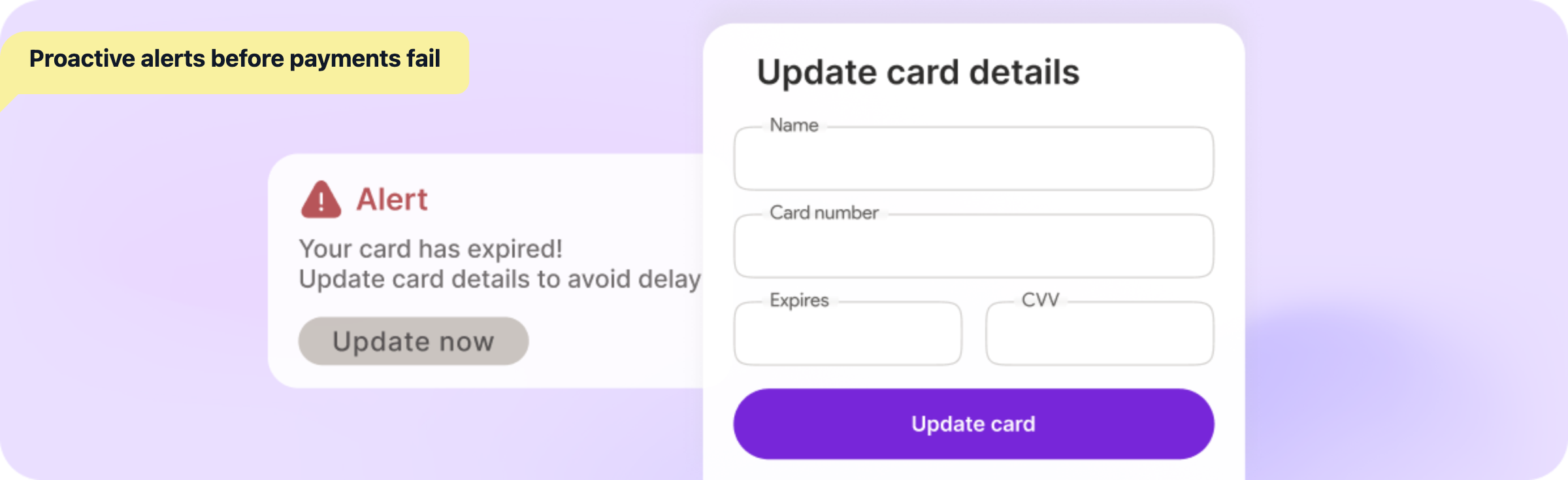
Every card has an expiration date printed on it. This is the most predictable failure type in subscription commerce, and the easiest to prevent.
Loop integrates with Klaviyo, Attentive, and other platforms and automatically pipes dunning customer tags when a subscriber's card approaches expiration. You build the flow once — "Heads up — your card on file expires next month. Update it here:" with an [Update Payment Method →] link — and it runs forever.
The subscriber updates their card before the charge even attempts. No failure. No dunning. No risk.
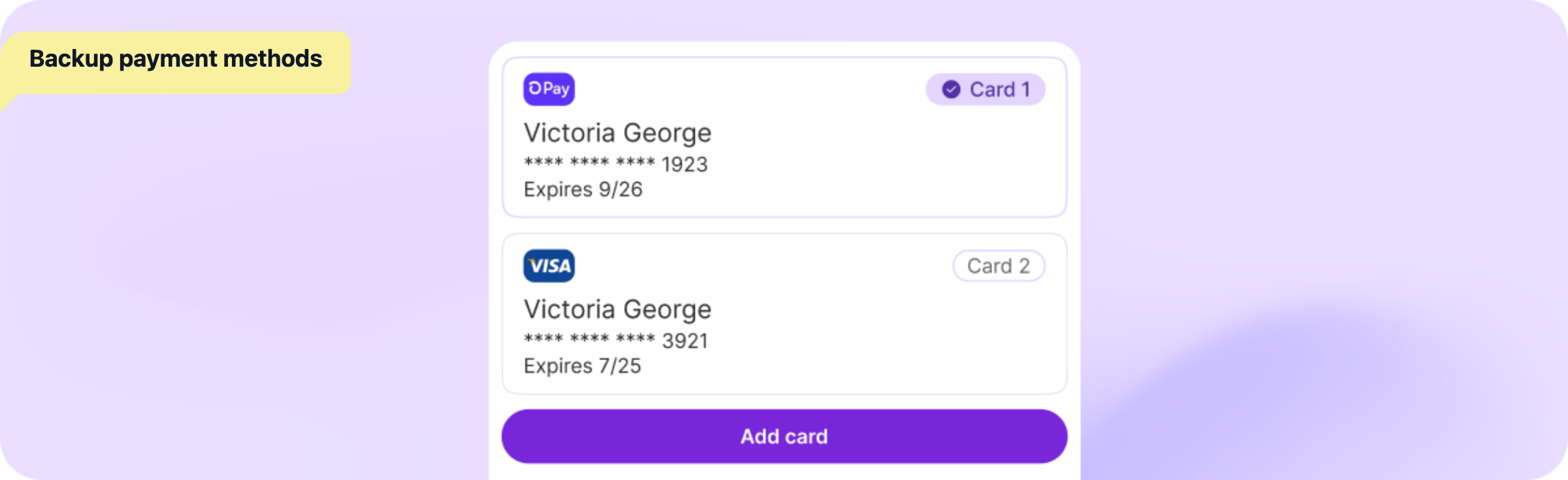
If a subscriber has a secondary card on file and their primary card fails, Loop automatically charges the backup. No dunning email. No subscriber action. The subscription stays [ACTIVE] and the subscriber never knows there was an issue.
How to build this into your program: add a prompt in the customer portal — "Add a backup card and never miss a shipment." The more subscribers who have a secondary card on file, the fewer who ever enter your dunning funnel.
If your analytics show insufficient-funds declines clustering around specific dates, the problem might not be your subscribers' ability to pay. It might be timing. Letting subscribers choose their billing date through the customer portal aligns your billing with their cash flow instead of fighting it.
Here's what doesn't show up in most payment recovery guides: engaged subscribers update their cards when asked. Passive subscribers don't.
A subscriber who logs into the customer portal, sees "🎁 You're 1 order away from a FREE gift!" and is genuinely excited about their next delivery — that person will fix their payment method the moment they get an email about it. Someone who hasn't thought about their subscription in three months won't.
Loop Flows build this engagement through gamified rewards, mystery rewards, and milestone streaks — so when a payment does fail downstream, you're reaching someone who cares.
A payment failed. Before you email anyone, try to fix it quietly.
Most soft declines — insufficient funds, network timeouts, temporary bank holds — resolve on their own within days. The subscriber's balance replenishes. The bank clears the hold. The network comes back up. A well-timed retry catches these without any subscriber interaction.
.png)

The retry cadence should match how different failure types resolve:
Days 1–3: Dense retries. Two to three attempts in the first few days. This catches network errors, gateway timeouts, and temporary bank holds — issues that typically resolve within hours or a day.
Days 4–14: Spaced retries. One attempt every few days, targeting different days of the week. This catches insufficient-funds issues that resolve on payday. The 1st and 15th of the month are common deposit dates — your retry schedule should cover them. Recurly's data shows Insufficient Funds — the most common decline reason — recovers primarily within 2–7 days.
Days 15–30: Extended retries. One attempt every few days through the end of the billing cycle. This catches longer-resolution issues and gives subscribers who received notifications time to act. Most basic subscription apps cap at 3–5 retries. Loop offers up to 15 — enough to cover multiple pay periods without exhausting options in the first week.
Retrying an expired, stolen, or closed-account card doesn't just fail — it actively hurts you. Each failed attempt gets logged against your Merchant ID. Payment processors track your decline ratio, and a worsening ratio means higher decline rates on all future transactions — including first-time subscriber checkouts.
Loop automatically identifies hard declines from fraud codes and expired-card codes, and skips retries for those subscriptions. The workflow jumps straight to Phase 3 (Notify) — because the only path to recovery is new payment information from the subscriber.
The subscriber doesn't need a "payment failed" email on day one if there's a good chance the next retry succeeds. Sending one creates unnecessary anxiety for a problem that might resolve silently.
Loop lets you run retries in the background while holding customer-facing notifications until the subscriber actually needs to act. Retries continue around the clock; notifications go out only during local daytime hours — so when you do reach the subscriber, you're reaching them when they can respond.
.png)
Silent retries didn't recover the payment. Now you need the subscriber to do something — usually update their card. The goal of this phase: make that action as frictionless as possible, with escalating urgency and incentives.
Timing: After 2–3 failed silent retries (typically day 3–5).
Tone: Helpful, not alarming. The subscriber probably doesn't even know there's an issue.
The email should look something like this:
Subject: Oops! Your payment didn't go through
Hi {{customer.first_name}},
We tried to process your subscription payment, but it didn't go through. Don't worry — it happens! Just update your payment method to keep your subscription active and your deliveries on schedule.
[Update Payment Method →]
That [Update Payment Method →] button is a Loop Quick Action — a pre-authenticated URL that opens a drawer directly in your branded customer portal. No login. No password reset. No navigating to account settings. One click, card updated, subscription saved.
Timing: Day 7–10, if the first notification didn't convert.
Remind the subscriber what they'll lose — not in a threatening way, but in a "here's what's waiting for you" way:
If you're using Loop Flows with milestone rewards, this is especially effective — "You're 1 order away from a FREE gift! Update your card to keep your streak going."
Timing: Day 14–18, after multiple retries and two notifications have failed.
Now the incentive comes in. Not before. A subscriber whose card bounced yesterday doesn't need a discount — they need a reminder. A subscriber who hasn't responded to two emails and five retries? That's when an offer matters.
Loop's segmented Quick Actions make this automatic. You set different incentives based on retry count, failure reason, and subscriber value:
Segments evaluate by priority — so a high-value subscriber hitting their third failure gets the 15% offer, not the generic 10%. Brands refine these over time to maximize recovery without over-discounting.
Timing: Day 21–25.
Straightforward: your subscription will be paused/cancelled on [date] unless you update your payment method. Include the Quick Action link one more time. Keep it brief.
Not everyone reads email. Loop pipes dunning customer tags to Klaviyo and Attentive, so you can trigger SMS flows alongside email. A short text — "Your subscription payment needs attention. Update here: [link]" — catches subscribers who missed the email.
All retries exhausted. All notifications sent. The subscriber hasn't updated their card. Now what?
The default in most subscription apps is immediate cancellation. That's the wrong move. A cancelled subscriber has to re-subscribe from scratch — new checkout, new payment method, new commitment decision. The reactivation rate on that path is low.

The subscriber misses one shipment but stays [ACTIVE]. When the next billing cycle hits, the system tries again. If the underlying issue was temporary — a brief financial squeeze, a bank hold that cleared, a card that got replaced — this catches it.
This is the right default for soft declines that exhausted retries without resolution.
Preserves the subscriber relationship without generating more failed charges. The subscription sits in [PAUSED] status until the subscriber updates their card — at which point a Quick Action reactivation link ("Reactivate My Subscription →") can bring them back in one click.
Better than cancellation for high-value accounts, long-tenure subscribers, and those who've engaged with your portal recently.
Only after every automated and manual path has been exhausted. And even then, the cancellation confirmation should include a clear reactivation path: "Changed your mind? Reactivate anytime →"
Loop lets you configure which end-of-dunning action applies — skip, pause, or cancel — matching the outcome to your brand's philosophy rather than defaulting to the most destructive option.
For subscribers above a certain LTV threshold, automated flows may not be enough. Loop lets you export subscriber data with customer tags and pipe it to your CX team — a personal email or phone call from a real person to a high-value subscriber can recover relationships that no automated sequence will.
Lumin Skincare: 12.6% revenue boost from payment recovery alone within 3 months of implementing Loop's dunning system — smart retry timing, Quick Actions for card updates, and backup payment methods working together.
Mammaly: 30% of subscribers updated payment methods via Quick Actions after migrating from Recharge to Loop. One-click, pre-authenticated card update links in dunning emails — no login, no portal navigation — drove the difference.
Most subscription brands lose more revenue to failed payments than they do to customers actively choosing to cancel. The difference between brands that bleed subscribers and brands that retain them isn't luck — it's having a system that prevents failures before they happen, retries silently when they do, reaches out at the right moment with the right message, and protects the relationship when all else fails.
The four-phase workflow above isn't theoretical. It's how brands like Lumin and Mammaly are recovering revenue that would otherwise disappear — quietly, automatically, and without burning subscriber goodwill.
If your current dunning setup is "retry three times and send an email," you're leaving money on the table every single billing cycle.
Book a demo to see how Loop's payment recovery system runs this entire workflow — from pre-expiration alerts to segmented Quick Actions to end-of-dunning controls — so you can stop losing subscribers to problems they didn't even know they had.